
Why Digital iPad Tipping Screens Are Everywhere (Tip Fatigue Explained)
Quick Answer
Digital tipping screens (Square, Toast, Clover) have proliferated because point-of-sale companies make extra interchange revenue on higher transaction totals, and business owners use customer tips to subsidize hourly wages without raising menu prices. You should never feel obligated to tip for counter-service retail transactions.
- ✓Touchscreen prompt design relies on "guilt tipping" and public social pressure.
- ✓Payment processors earn higher processing fees when customers leave higher tips on tablets.
- ✓Declining to tip on self-service retail or counter transactions is completely normal and acceptable.
- ✓Reserve your gratuity dollars for full-service waitstaff, bartenders, and delivery drivers who rely on tips.
Restaurant Pre-Tax Bill & Tip Calculator
Calculate fair gratuity strictly on the pre-tax subtotal and split bills evenly with clean round-ups.
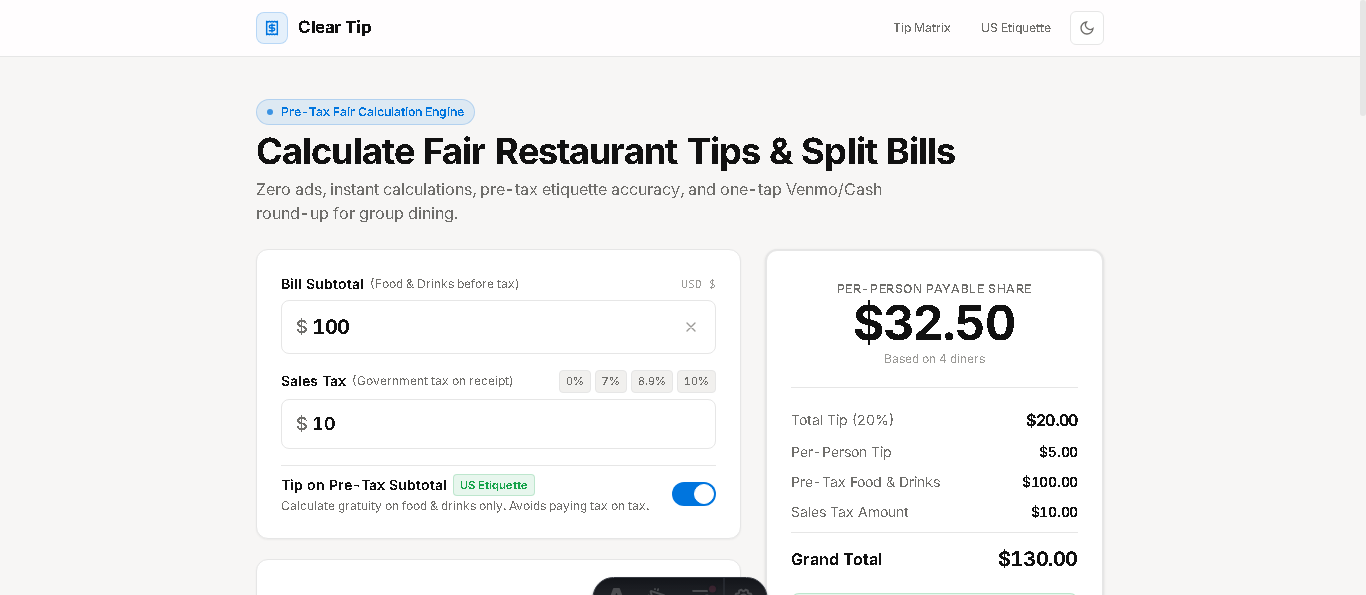
Clear Tip Calculator provides an unbiased, transparent interface where diners control calculations without deceptive software nudges or guilt prompts.
- Open Clear Tip Calculator to calculate independent, objective gratuity figures.
- Check what 15%, 18%, or 20% actually represents on your purchase.
- Use custom tip input to enter the exact dollar amount you are comfortable giving.
The Mechanics of "Guilt Tipping" and Social Pressure
Anyone who has purchased a muffin, ice cream cone, or even merchandise in recent years knows the dreaded sequence: the cashier swivels an iPad around with a practiced line: "It’s just going to ask you a quick question on the screen."
Displayed prominently are three giant preset buttons: 20%, 25%, and 30%. Beneath them, in faint micro-typography, sits a discreet "No Tip" button. This interface design is intentional: behavioral economists call it choice architecture. By forcing a customer to publicly tap "No Tip" while an employee watches across a 3-foot counter, the software leverages social awkwardness to compel a gratuity.
Over the past three years, this phenomenon has created nationwide tip fatigue, causing consumers to feel resentment toward workers rather than goodwill.
How to Decline Gracefully Without Guilt
Remember that tipping is fundamentally a reward for dedicated personal service. When you are buying goods at a counter, picking up retail merchandise, or pouring your own self-serve yogurt, tapping "No Tip" or "Custom $ ightarrow$ $0" is completely dignified.
Hospitality workers are well aware of customer tip fatigue. Keep your focus on rewarding the hard-working servers and drivers who provide true table hospitality and delivery labor.
Why Small Business Owners Love the Screens
From a small business owner's perspective, enabling tipping on Toast or Square allows them to advertise "Earn up to $22/hr!" on help-wanted signs, even when their direct payroll expenditure is only $14/hr. The customer effectively pays the wage supplement.
Recognizing this economic dynamic empowers consumers to choose when to support staff generously and when to decline without shame.
Tip Creep: How Screen Prompts Spread to Retail & Self-Checkout
Over the last few years, tipping prompts migrated from sit-down restaurants to places where tips were historically unheard of: airport grab-and-go snack stands, bridal dress boutiques, hardware stores, and unassisted self-checkout kiosks.
This software proliferation occurs because POS software arrives with tipping modules switched on by default. When an unstaffed airport kiosk asks for a 20% tip after you scan your own bottle of water, you are not supporting frontline workers—you are simply padding corporate operating margins.
The 3-Second Rule: Handling the Screen with Confidence
To avoid lingering awkwardness when the tablet swivels in your direction, adopt the 3-Second Rule. Do not freeze or look up apologetically at the cashier. Look directly at the screen, immediately tap "No Tip" or "Custom," tap your payment card, and warmly say "Thank you, have a great day!"
Treating the payment terminal as a routine mechanical step strips away the emotional charge and keeps the checkout line moving briskly.
Frequently Asked Questions
Common questions and answers regarding why do tablet screens ask for tip everywhere.